Posted on October 23, 2013 at 11:45 am
Textures can certainly add a pleasant touch to an online design, giving a page personality and depth. From textured backgrounds to texturized overlays or even textured design elements, there are several alternative ways of adding texture to an internet site. So for today, we’ve rounded up a set of stunning sites that take this approach.
About the Author

I love communication, technology, web, design, movies, gastronomy and creativity. Web writer, portuguese/english translator and co founding father of @refilmagem & @mentaway
Twitter: @gismullr
Here’s every other articles that you’re going to definitely find useful.
Posted in Web Design
Posted on October 19, 2013 at 12:39 pm
In the start there has been a concept. And the speculation was formless and void, and it needed such a lot to be forged right into a real project. And the entire strategists, creatives, designers, project managers and techies were moving over the skin of it and spoke already different languages.
The thin line between excitement and disaster
 Image by Amir Hadjihabib
You already know the tale. It’s a few downslope, leading from an excellent idea to a mediocre end result. It’s about misunderstanding and never checking feasibility. It’s about not putting the entire parts together, and attempting to push a round peg right into a square hole.
The ideas are much valuable but always must be confronted with constraints. What does an concept should be completed? Is it even feasible? On the earth of digital projects, different factors have to be considered. The sort of, and perhaps the obvious one, is technology.
You should check if the project is possible at various stages – not just on the very beginning, but additionally during production. As a matter of fact, all of us in a digital project should know and understand a little bit what people do. Sounds easy, doesn’t it? But reality says that every of the groups are inclined to pull one of the decisions within project towards them. My UX is more important than your visual design. My visual design is more important than your code. My code is more important than your UX.
Technology is a pivot here. It doesn’t matter what, it’s always a two-faced jack: a rock-solid foundation for the project and an impassable limitation. Looking to leap over this limitation may be fatal for a project. In other words – which you could break some UX and visible design rules, but you won’t turn a screen display into mirror or increase the throughput of the mobile link the top user has access to. Period.
In the dominion of the blind the only-eyed are kings
You don’t should be a one-man army. It’s enough to grasp the fundamentals and “feel” the restrictions. Just know the bounds and also you are the king. a great web designer does know some CSS and understands how the fluid grids work to supply responsiveness for a website. This information lets him to create designs which can be more feasible to implement and are still creative. Good UX designer, whilst, knows the technological constraints enough to not design something that simply won’t work. Front end developers and programmers ought to know the way to regulate the technology to satisfy both requirements of the user experience design and visible design. It gets much more tricky in case you ought to fit the budget, obviously.
This is why it is advisable adjust. This is because both basic and correct knowledge of the technology is so important. It always manifests in having a robust team of people that understand technology. You’re the trigger, you raise the flag, they do the remainder on their dedicated field. Simple.
Anticipating technology
 Image by Michael Spitz
Anticipating technology is most often knowing the limitations and getting the foremost from the projects within these. The limitations come from various sources – both user- and server side. It’s good to anticipate the location performance, considering what kind, from what sources and what kind of data an interface might want to load, and what server side or javascript operations must be performed inside the background. In accordance with this sense, you ought to suggest patterns that can work properly inside the (statistically) standard environment. Sometimes you simply must think server-wise, at other times you want to leave your desk (well, no less than: mentally) and do not forget that real users don’t use rocket-speed, 27” machines and the performance in their machines is significantly lower.
Of course, there are rational limits for adapting to user-side constraints. You won’t make everyone happy, you are able to only make happy the reasonable, statistical majority. But even then you definitely can use graceful degradation for the remainder of them. It’s another great way to provide the optimal level of awesomeness, simply by slightly decreasing experiences for older browsers and slower machines.
Making everyone happy is a wrong direction to head. While it’s, obviously, tempting, the price of implementing it versus the genuine profit, either for users or for business owner of the project, may be unjustifiable. I remember one interesting case with providing users to upload some very specific file format (actually: a host of formats) to the server and perform very demanding transformations at the server-side. Providing it’ll want a significant increase of the project costs, only to fulfill a small selection of users (like: 0.2% of them). There isn’t a business justification to this.
Planning technology
Planning technology goes beyond the limitations. Sometimes, the strategic, functional and (what turns to be primary on the end) business requirements of the project need extra power. Without it, you won’t be capable of reach the predicted return at the investment. Once you must comply with the technology users have of their hands, you are able to do the most efficient valuable to construct high-efficiency solutions at the server side, building thin-client interfaces in place of pushing your complete responsibility at the end-user machine.
Using data warehouses is one in all such situations. If a project should manipulate on high amounts of knowledge, you should be conscious about that on the very stage of UX design. You won’t manage to provide efficient patterns for data manipulation and presentation without it. You don’t should be very specific about it – all it’s good to do is raising a flag on the very starting to let everyone know and watch for the suitable people to leap in and to the remainder. After all , because it will not be your field, sometimes you will be wrong, but it is a matter to be checked by techies.
One of discussions i’ve once participated in, regarded displaying result of video search from multiple video-hosting services. While a majority of these displayed the effects almost instantly, the alternative ones API returned results with a substantial delay. Because the search engine idea was to display the hunt results which are most relevant to the quest query, and there has been a time limitation in receiving the complete list of videos from the whole sources, it might only be done on the cost of either of those: the effects accuracy or delay. That is an example of situation, where UX must adapt to technology.
When it involves planning technology, costs are involved. Sometimes heavy. This can be a pity when it seems in spite of everything which you cannot afford a far better technology inside the given budget, nevertheless it happens sometimes. In these situations it’s worthwhile to go lean, even perhaps the MVP way and stay on the level of providing the most effective you could. But, well, it’s worth looking to convince the boss, that the investment is critical, anyway
Keeping track at the implementation
 Image by Jip
UX design is ready designing experiences, not only interactions or wireframes. As such, it doesn’t end with the last view designed, be it wireframe or graphic design. Keeping track at the implementation itself is essential as it’s the instant the designed interactions actually come to live.
It often happens that something goes wrong on the phase of implementation. The designed patterns aren’t implemented properly and the ultimate product is way from what you may have designed. Assuming that you’ve got done your best anticipating and planning proper technology, this could not happen or a minimum of the impact of it would be minimal (it is where nothing describes the location better than the ole’ good tree project image – just google it).
Of course, situations happen, that you’re not ready to predict everything and it is crucial to regulate the UX idea at the fly. This aspect, however, gets minimized when your knowledge of technology is higher.
Sometimes, however, you could, especially when the project crew implements something that does work, but would not provide proper experience for the user. Take responsive images to illustrate. You are able to take care of them either inside the browser (which, for users on mobile link means much more data to download, leading to lower page loads and – finally – lower conversion of the location). But there’s also feasible to give this responsiveness on server side, preparing scaled versions of the pictures at the fly and serving these rather than their big brothers.
Getting inspired by technology
Technology, as already mentioned, can not be only regarded as constraint, it’s also very inspiring. Even at an excessively basic level, it could actually result in designing better interfaces. For this reason a regular dose of Wired, WDL, TechCrunch or The Verge is so important. You learn new things, or even for those who don’t – you at the very least get responsive to these and this results in new ideas of using the recent technologies and, therefore, designing better experiences.
So read plenty. And ask so much.
“Why don’t we use that, i’ve examine it somewhere?”
Surely, why not?
Some quick and practical tips:
- Keep track on technology – you don’t must be a tech guru, a basic knowledge is fair enough to trace usability problems on the very beginning, find new possibilities and are available up with new, better ideas.
- Try to work with those who have general knowledge concerning the technological aspects of the project, whether it isn’t their main field.
- Do a feasibility check on the stages of ideation, UX design and graphic design.
- Think budget-wise. Discover which changes can provide your project a lift that justifies additional investments.
- Check if during implementation things go into the proper direction. If necessary, adjust your strategy, UX and design to handle technological constraints that seem during production.
Here’s another articles that you may definitely find useful.
20 Resources for amateur Designers & Developers
6 Not-So-Obvious Mistakes Freelance Web Designers Make

Color: Links, Books & Tools to Make your Life Easier
Interactivity Is King
The Web Designer’s Cheat Sheet
Posted in Web Design
Posted on October 17, 2013 at 4:35 pm
In Resources
Posted by Henry Jones on Oct 9, 2013 | One Comment
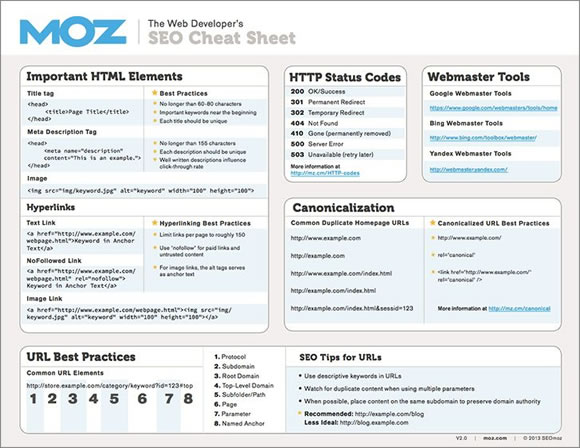
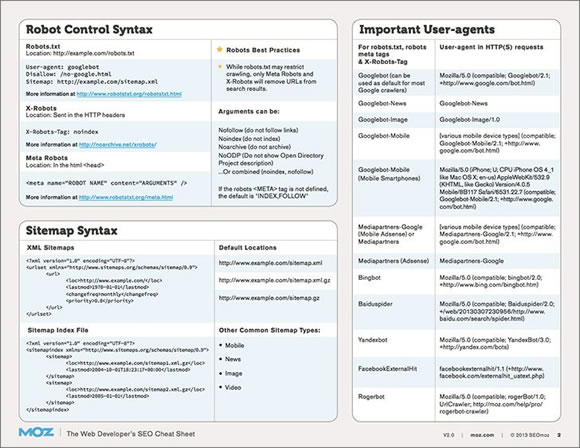
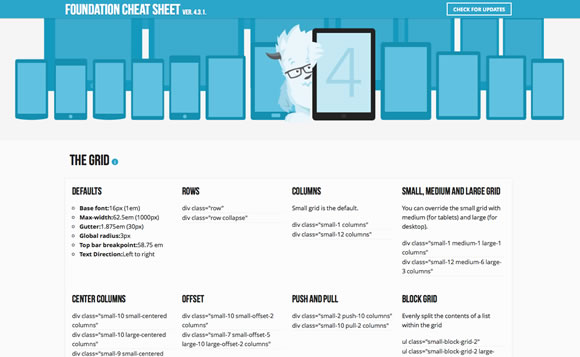
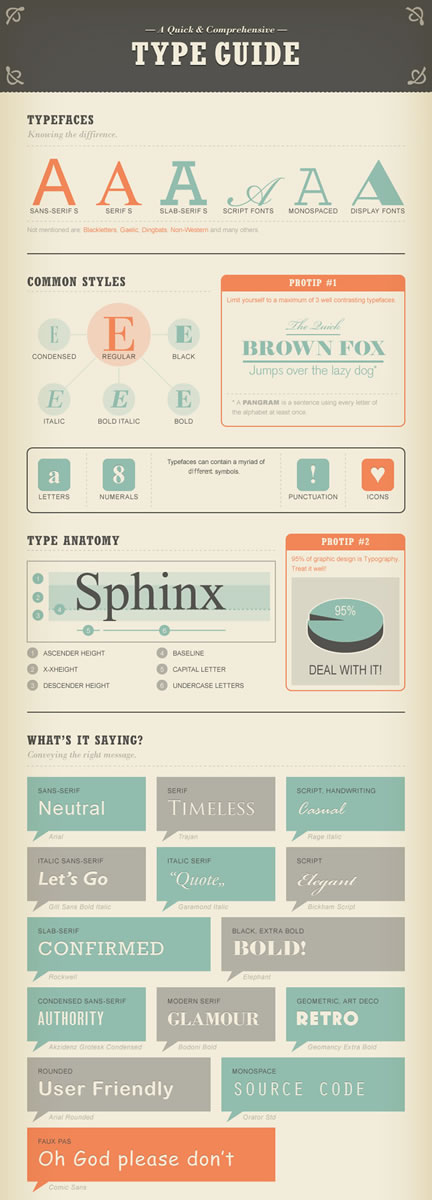
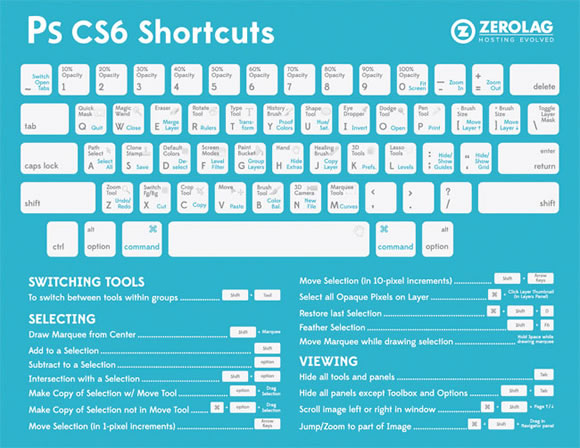
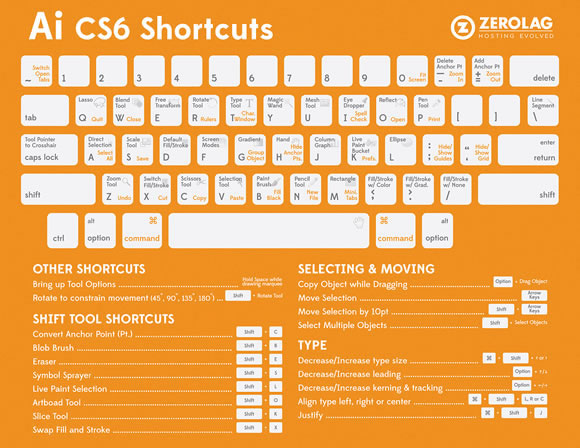
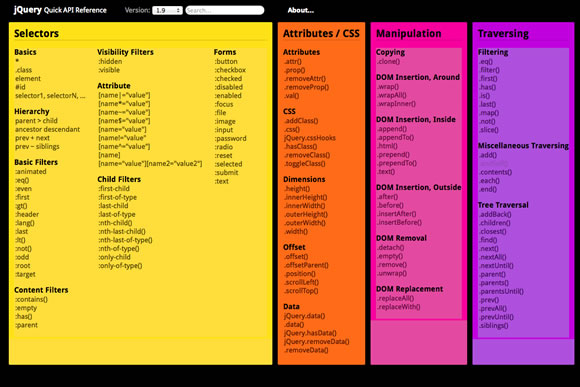
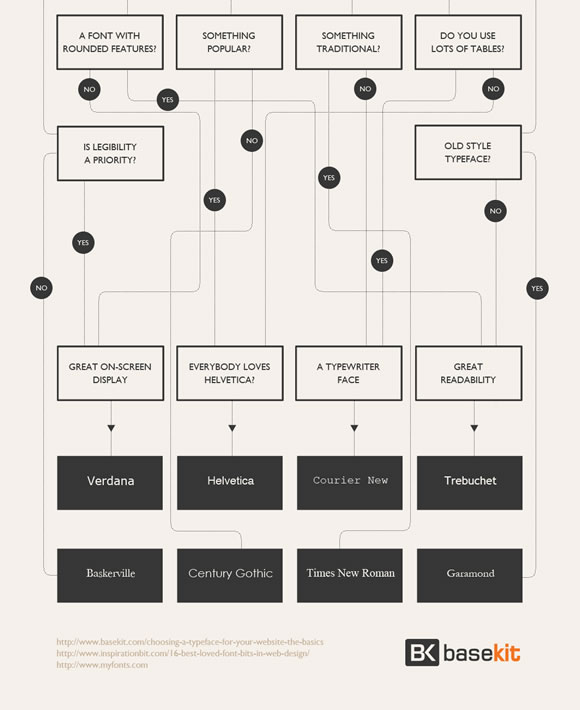
As an online designer or developer, it’s nearly impossible to bear in mind multiple programming languages, frameworks, and keyboard shortcuts to varied applications. Here is where cheat sheets is usually a life saver. Most cheat sheets are designed to be printer friendly, so that you may have them laying around to your desk as quick reference cards. So that you can make your life easier, we’ve rounded up a variety of cheat sheets that you’re going to surely find useful.
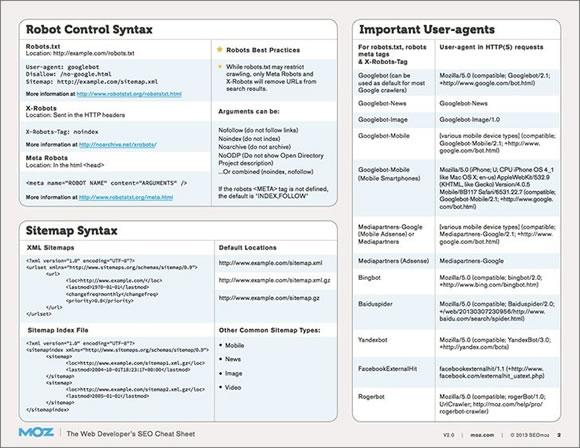
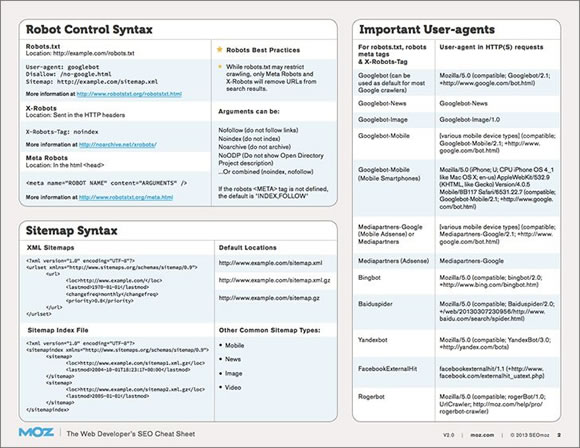
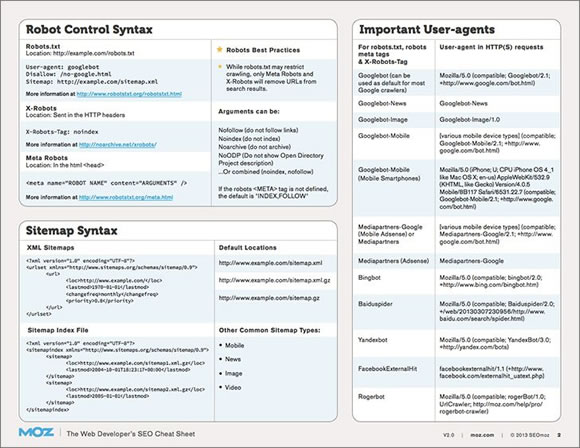
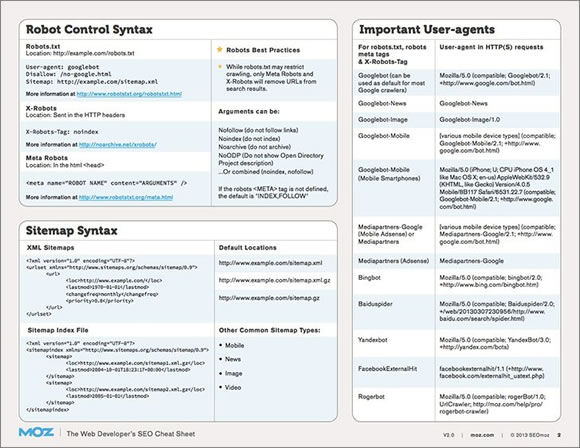
The Web Developer’s SEO Cheat Sheet 2.0
Bootstrap Cheat Sheet

Foundation Cheat Sheet
Type Guide
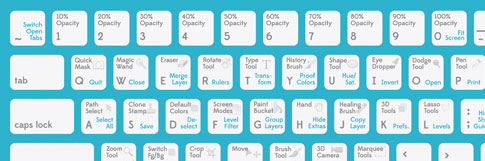
Photoshop CS6 Cheat Sheet
Adobe Illustrator CS6 Shortcuts Cheat Sheet
jQuery Cheat Sheet
Choosing an online-safe font to your website
Here’s any other articles that you are going to definitely find useful.
Photoshop CS6 Cheat Sheet
8 Cheat Sheet Wallpapers for Designers and Developers
 0
11 Helpful Cheat Sheets for Popular Google Products
 1
15 Useful HTML5 Tutorials and Cheat Sheets
 2
14 Most excellent Website design Cheat Sheets
 3
Posted in Web Design
Posted on October 15, 2013 at 12:41 pm
When it involves parallax scrolling, the road that separates good and bad choices is pretty thin. it slow back parallax was getting used to deliver an explosion of elements floating across the screen, and many times the internet sites using the effect were a piece overwhelming. Fast forward a pair years, polish the belief and remember that the “less is more” concept also works for parallax, and you’ve got websites with elegant scrolling effects – just like the ones we’ve rounded up for this post.
About the Author

I love communication, technology, web, design, movies, gastronomy and creativity. Web writer, portuguese/english translator and co founding father of @refilmagem & @mentaway
Twitter: @gismullr
Here’s another articles that you’ll definitely find useful.
Posted in Web Design
Posted on October 13, 2013 at 1:46 pm
Here at WDL we believe that groovy design is usually inspiring, and it doesn’t matter if we’re talking about print, product, web or package design. So today we’ll show you some beautifully designed packages. Designs which might be inspiring for many reasons, from typography to paint, from textures to composition. We believe that web designers can always learn from good design in all mediums. So take some time to look at how the weather are beautifully prepare here. And be sure to click the pictures to be informed more information about each project.
About the Author

I love communication, technology, web, design, movies, gastronomy and creativity. Web writer, portuguese/english translator and co founding father of @refilmagem & @mentaway
Twitter: @gismullr
Here’s another articles that you’ll definitely find useful.
Posted in Web Design
Posted on October 11, 2013 at 4:10 pm

Advertise here with BSA
To keep your library fresh and various, today we gathered eight beautiful free fonts on your designs. In the event you were wanting something fresh, creative and different, look no further, you simply found the fonts you were seeking. Braxton ATF Lorem Bouh Type font ROUNDA Vast Shadow Sabado High Tide font Sequi
Posted in Web Design
Posted on October 7, 2013 at 4:42 pm
A clean website design is one who is uncluttered, has good whitespace, and naturally has solid typography. This doesn’t mean that an online site must be void of color and design elements to be considered clean, but you will see usually clean web designs use both sparingly. In your inspiration, we’ve gathered a set of sites which might be good examples of what clean design is all about.
About the Author

I love communication, technology, web, design, movies, gastronomy and creativity. Web writer, portuguese/english translator and co founding father of @refilmagem & @mentaway
Twitter: @gismullr
Here’s another articles that you’re going to definitely find useful.
Posted in Web Design
Posted on October 5, 2013 at 4:18 pm
Getting started on the earth of design may be both thrilling and intimidating. Sometimes, you are feeling such as you just don’t have the tools or skills you ought to complete even probably the most basic projects. At other times, your mind is simply buzzing with a mess of ideas, but it’s possible you’ll not have tips to get them organized. Yet, through the strategy of becoming a designer you’ll grow and expand both as somebody, artist and designer.
Design is the process of putting form and content together. Design, just as art, has multiple definitions; there is not any single definition. Design may be art. Design could be aesthetics. Design is so simple, that’s why it’s so complicated. – Paul Rand
The key to starting out a successful career in design, is creating your personal toolkit. This toolkit must be an array of design resources that will let you transform a blank canvas into something incredible. Today, we’ve compiled 20 of the handiest design resources in the market for anyone starting out on earth of design. Here you’ll find design tools, in addition to useful websites that can assist you complete design projects, gain inspiration, and become an amazing designer.
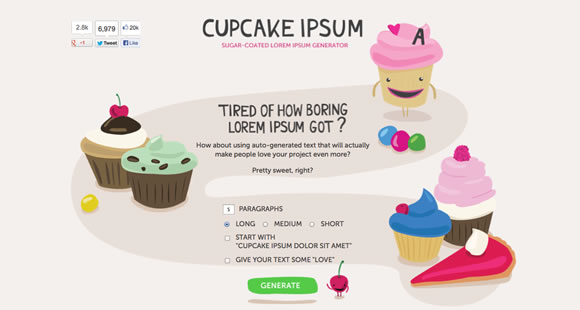
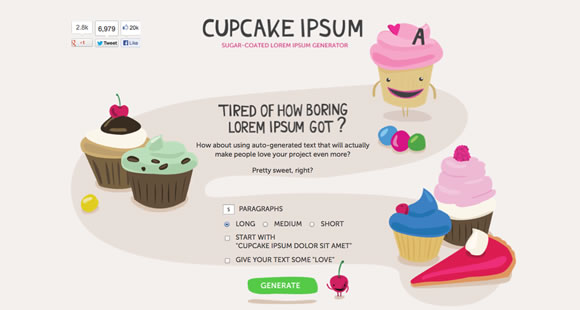
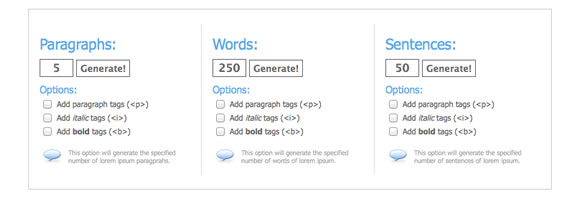
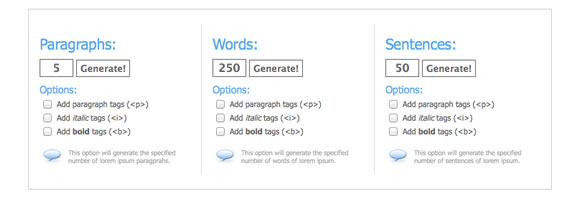
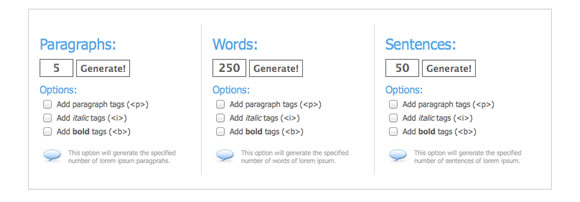
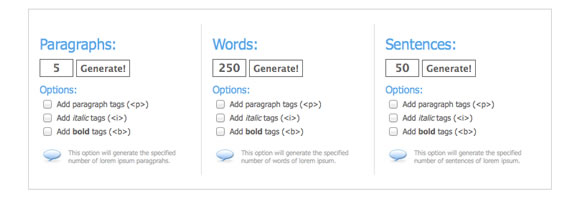
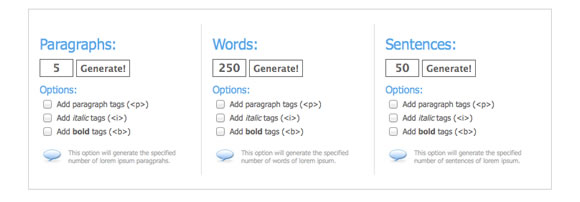
1. Lorem Ipsum Generators: For a lot of of your design projects you’re going to wish to grasp how text goes to peer. You’ll normally see lorem ipsum text on website designs available to be used and buy so that you can see how text would look at the site. Will the colour scheme work well? Are you able to see the text? Is the text large enough? A lorem ipsum generator provides you with a large number of text to include for your designs so that you don’t need to give you it yourself.
Here are some useful and funny lorem ipsum generators you need to use for testing out the feel and appear of your designs:
Hipster Ipsum

Cupcake Ipsum
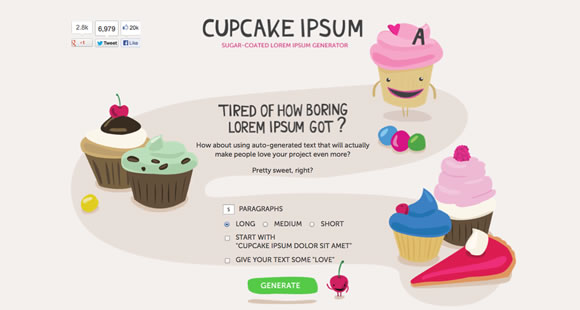
One-Click Lorem Ipsum Generator

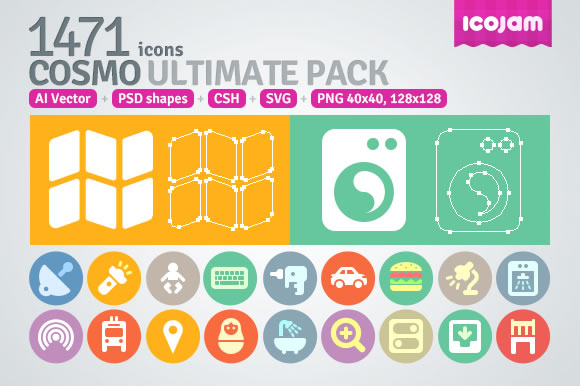
2. Icon Sets: As a designer, you’re going to want to be both versatile and quick in terms of designing for clients. Sometimes you can not have the time to craft something entirely yourself, or may find that you’re missing a undeniable element. Having icon sets might be useful create ads, banners, blog headers, campaign images, and website design in a snap. Use the icons to focus on important information, as component to background images, and for CTAs.
You should start by fooling around with icon sets from a single bundle and check out arising with all of the ways you should use them. From there, try using icon sets of alternative styles and understanding ways of incorporating them into different designs.
Cosmos Set (1471 Icons) by IcoJam

600 Stroke Vector Icons by Zlate

Flatties

The Ultimate Pack
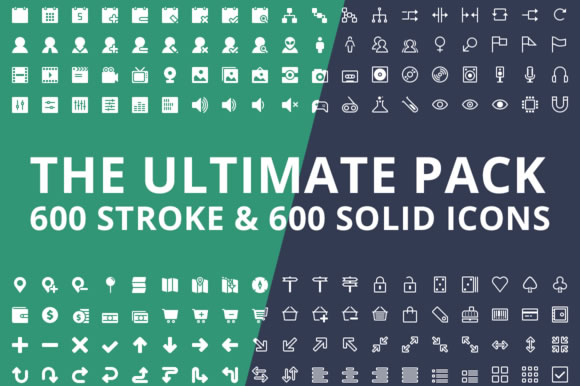
UI Icons

Hand-Drawn Icons

3. Color Scheme and Color Palette Resources: When you’re just starting out with design you’re going to wish to grasp how colors interact, and which colours are right for certain projects.
Here are some sites that will help you better know the way to take advantage of color to your designs:
- COLOURlovers: Browse palettes and create your individual, discover new colors, and funky color combinations multi function site.
- HEX to RBG Converter: Know the way to transform your colors for various purposes and color schemas.
- 0 to 255: This tool allows you to select a colour, or discover a random color after which find variations of that color.
- Colorrrs: Discover random colors with the press of a button.

Interested in learning more about color? Look into these articles:
Recommended books that can assist you better understand color and design:
4. Smashing Magazine: If you’re interested by coding, mobile design, website design, and UX/UI Smashing Magazine is a superb place for beginners and veteran designers. You’ll find new articles each day with regards to design and development, which include books, workshops and a task board.
 0
Here, are some articles you’re able to enjoy from Smashing Magazine:
5. Bounce: This tool means that you can study different elements of any webpage and make comments, highlight a selected area, and share with others. It’s an easy way to watch what other folks are doing on the internet and state what you prefer, what you don’t like, and what you could change. Bounce let’s you better understand other people’s websites so that you could make your sites optimized for whatever you’d like.
 1
6. Useful Design Checklists: It’s hard to position this stuff into one section, but i believe one extremely important tool for beginning designers is having a checklist. A checklist allow you to be certain that you’ve done everything you’ve needed for a project, that your design is user friends, that your design looks good, and more. Listed below are a number of my favorites:
7. Moqups: Need assistance with wireframing? Moqups is an HTML 5 app that may be used for wireframing, mockups, and laying out user interface elements. Moqups also features collaboration tools that permit others to observe what you’ve created, offer advice and crticism and help your project become even better.
 2
8. Take Courses: If you’re just starting out on the earth of design and development, sometimes taking a course assist you to fill in any gaps to your knowledge and help get you began to having the ability to create and design the things you’ve only ever dreamed of.
There are numerous places to take courses, and you may take a look at your nearest college or university, otherwise you can look into these resources to be told online:
- CodeAcademy: Discover ways to code, interactively online.
- Treehouse: Take courses in website design and development, discover ways to build websites and smartphone apps, or even start your individual freelance business with Treehouse.
- Teach Yourself Graphic Design: A web self-study course that will help you learn the fundamentals of graphic design.
- HOW Design University: Online courses and workshops for budding designers and freelancers.
- Udemy Design Courses: Select graphic design courses in line with what you need to learn and manage to create.
9. Objects and Illustrations: Every designer, especially those just starting out needs resources to assist create designs faster that look incredible. You may incorporate ready-made design resources like arrows, flourishes, banners, and borders to diminish the quantity of labor you need do.
Here are a few of our favourite resources:
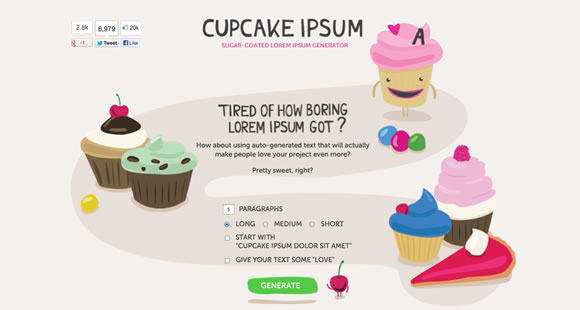 3 225+ Vector Arrows
 4 120 Decorative Shapes for PS and AI
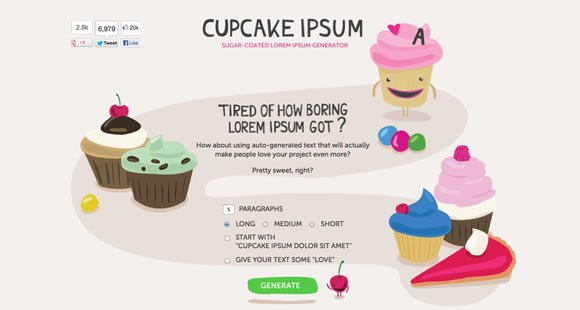 5 Chalkboard Signs & Ribbons
 6 Ornamental Flourishes
 7 44 Decorative Vectors
 8 67 Classic Frames
10. Pattern Tap: Ever just wish to take a look at what people are doing on the subject of different areas in their website. Pattern Tap showcases everything from buttons to UI to headers and footers. It’s a good way to browse what folks are doing across the web to get inspiration in your own designs.
11. Firebug: Sooner or later during your strategy of growing and developing as a designer you’re going to need to take a look at what people are doing on the subject of website design and development. Firebug is a free tool that integrates with Firefox, and allows you to inspect and edit the HTML of web sites. For instance, you are able to wonder what’s creating a website look a undeniable way. Firebug helps you to inspect the code that creates the feel and look of an internet page. It’s a handy gizmo every beginning designer should familiarize yourself with.
 9
12. Superhero.js: Both the creation and upkeep of expansive Javascript code may be difficult. Superhero.js has curated plenty of resources that can assist you get in your way on the subject of Javascript. It’s a good resource for beginners and helpful to get you started.
 0
13. Harvest: It’s very important to cope some time, keep track of hours, and be accurate with expense reporting when you’re just starting out. In case you begin because of a software or program to watch the work you’ve done, you’re prone to stay organized and manage your work for clients well sooner or later. Harvest helps you manage your projects, track the time spent doing certain parts of your project, and helps you with invoicing clients.
14. Primer: It is a useful gizmo for beginning designers seeking to get into development. Primer lets you copy and paste HTML right into a doc, after which click the button and also you get a basic CSS sheet in keeping with the styles and classes you utilized in your HTML. It’s an ideal way to benefit CSS and understand HTML vs CSS.
 1
15. Tools for Responsive Design: You’re going to want to appreciate and have the capacity to create responsive friendly designs if you’re going to world on earth of the net. Having tools that can assist you create responsive design is significant. Look at 12 Helpful Tools for Responsive Website design and Top 10 Responsive Website design Tools to get your designs responsive-ready.
16. Google Fonts: If you’re seeking to use fonts for your website, or simply know the way fonts work on the web, Google Fonts is a handy gizmo to determine trending fonts, know the way fonts look on the net try out what text looks as if with different typefaces.
17. Background, Texture, and Pattern Sets: In the case of design you’re going to wish a good selection of backgrounds and textures to include into your designs. It’s good to have hundreds of things that you may use and alter for various design projects. You are able to combine backgrounds and textures to create new looks, and incorporate patterns into different areas of print and website design. Listed here are a number of our favourite sets in your design use:
 2 Textured Watercolor Backgrounds
 3 Soft Colored Textures
 4 200 Blurred & Noisy Backgrounds
 5 Chalkboard Textures
18. Gridwax: This simple to apply bookmarklet permits you to add a grid overlay in your website that can assist you make certain everything is aligned and appears just the way you want it to.
 6
19. Launchlist: It’s important to ensure you have everything finished, complete, and able to go when you’re about to publish a brand new design or submit something to a consumer. Launchlist is a device that helps people inside the area of website design and development to envision their work before publishing. When you’re just starting out, it’s important to ensure you have all of your bases covered and which you know your designs are complete. This tool can help you you are making sure you complete your projects comfortably, and which you didn’t forget anything.
 7
20. Font Resources for Designers: Every designer, it doesn’t matter what skill level, have to have a couple of fonts of their design toolkit. When you’re just starting out, you’ll like to spend numerous time twiddling with fonts, seeing fonts look combined together, and what fonts look best for print and web.
You’re going to wish your toolkit to contain fonts of other styles including: display fonts, script fonts, serif fonts, san-serif fonts, and unique fonts to play with and get used to using together on your designs.
Here are some fonts to get your toolkit started:
Stay Gold Script & Web Font by Decade Type Foundry
 8
Lunchbox by Kimmy Design
 9
Nueva York by Ed J Brown
 0
Mocha Mattari
 1
Church within the Wildwood
 2
Black Velvet
 3
Dirty Flamingo
 4
Recommended books for learning more about fonts and typography:
Interested in learning more about fonts and design? Take a look at these articles and resources:
If you’re a beginning designer interested by gaining more advice, inspect these useful articles:
Here’s another articles that you’ll definitely find useful.
6 Not-So-Obvious Mistakes Freelance Web Designers Make
 5
Color: Links, Books & Tools to Make your Life Easier
 6
Interactivity Is King
 7
The Web Designer’s Cheat Sheet
 8
8 Things Every WordPress Developer Should Know
 9
Posted in Web Design
Posted on October 3, 2013 at 3:18 pm
When it involves website design trends, minimalism has risen to the highest and shows no signs of losing its current popularity. There are various the reason why the fashion have been so embraced of late: not just does it mesh well with the tenets of website design, it may also be effortlessly combined with other popular design trends. Visual styles like color blocking or large photography, and functional trends like innovative navigational structures all could be combined with the methods and goals behind minimal design.
But all of those benefits don’t mean that minimalism is especially easy to work with. Actually, despite the deceptive simplicity in their construction, very good minimalist designs actually require just as complex of an artistic process as every other style. with a purpose to approach a minimalist project will be to accumulate a posh site and refine it all the way down to the essentials. But what are the essentials? Read directly to discover.
Concept
The first mistake designers can fall into is deciding to take advantage of minimalism for the inaccurate reasons; either since it’s popular, or because it seems like it’s easy to do. But don’t be misled by the hype; minimalism is only one stylistic choice among many; it doesn’t and shouldn’t work with all kinds of website.
- Minimalism works best when combined with a fashionable aesthetic and of course sparse content.
- It’s at its worst when used with complex content, conventional audiences, and a conventional aesthetic.
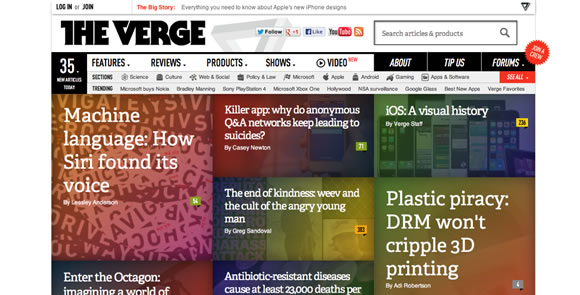
Minimalism wouldn’t work on a content-rich site just like the Verge, despite the obviously modern aesthetic and audience. The hassle is that it has too many elements; the ads, social media, buttons, articles, and so forth all add as much as an unwieldy total. This isn’t a failure to of simplification; all those elements are essential and can’t be further reduced without negative consequences. And while the web site is relatively busy and entire, it’s also quite effective. Just be sure you have an excellent reason behind using minimalism, otherwise choose another style.
Execution
Another common mistake that designers make is taking reductions too far. This leads to a domain design this is either lifeless and unappealing, or obscure and have interaction with.
- Minimal sites more often than not want to feature either beautiful imagery, interesting type choices, or great balance and contrast. Otherwise they appear too plain.
- The entire purpose of minimalism is to bring clarity through simplification. But when navigational elements are reduced to a degree where users can’t immediately understand them, then this purpose has not been upheld.
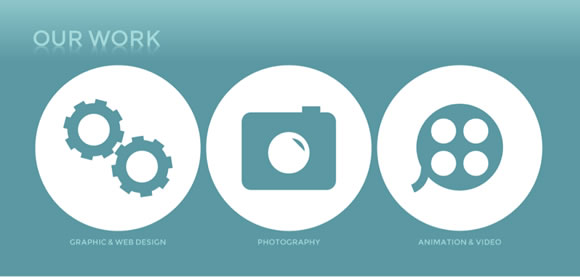
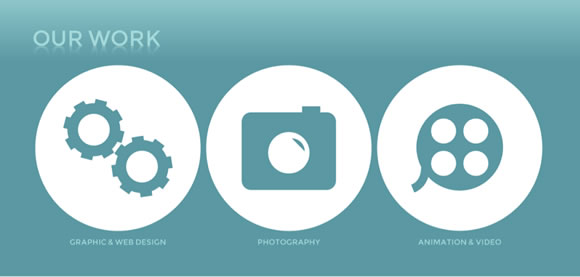
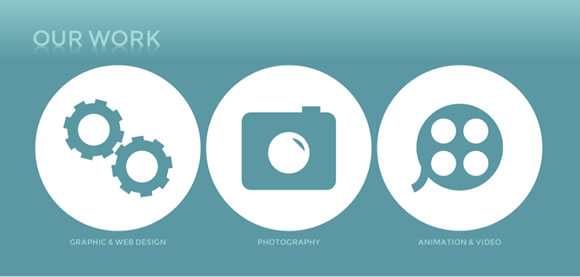
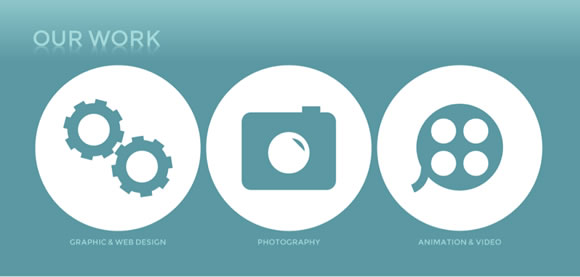
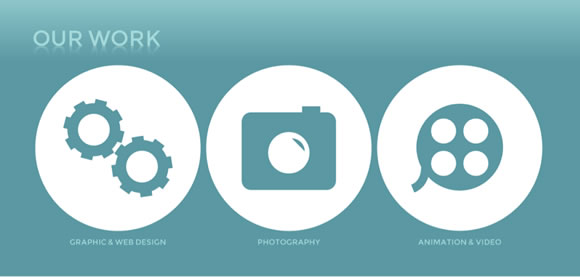
For example, while other portions of Pixelsapien’s site have interesting elements, the “Our Work” section exemplifies how throwing flat, refined icons on page really isn’t a successful implementation of minimalism. It’s really easy to realise, but it’s also boring and lifeless. The imagery, type, and colours are all very plain, and the layout is centered and straightforward. If only 1 of those features were tweaked and enhanced, then the look of the page will be immeasurably improved.
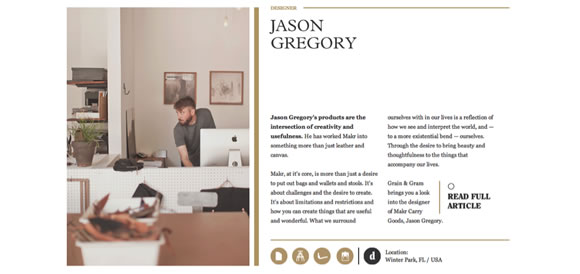
In contrast, Grain and Gram is beautifully designed. But minimalism’s primary emphasis on good communication isn’t being upheld as strictly correctly; most of the icons and navigational elements are ambiguous and want further clarification.
Design Elements
A Modern Style for a fashionable Audience
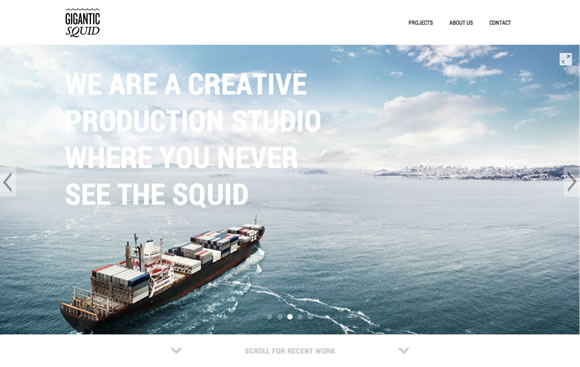
As an artistic production studio, minimalism fits perfectly with the objective audience of Gigantic Squid. A low profile user interface lets their imagery do all of the talking.
Simple Content Fits an easy Presentation
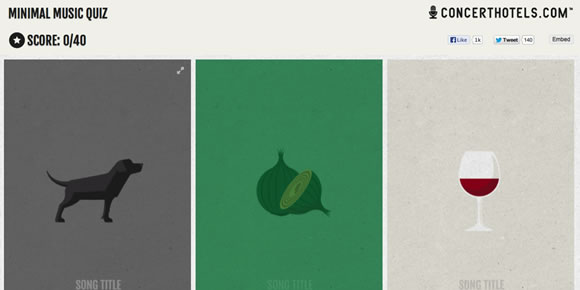
A website just like the Minimalist Music Quiz has only one purpose; to make a fun game out of guessing song titles and artists through minimalist art. As previously discussed, minimalism is a superb choice for one of these simple site; it’s made more functional in addition to more attractive by paring it all the way down to the bare minimum.
Contrast
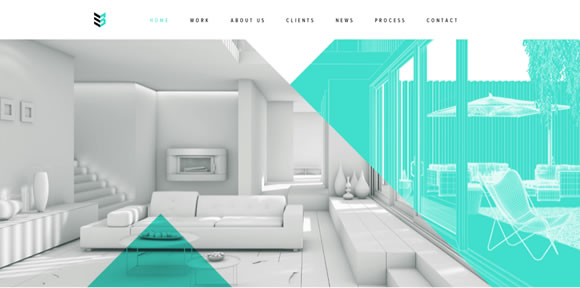
By overlapping aqua triangles with black and white photography, Case 3D shows only one example of ways their web design succeeds at creating interest through contrasting shapes, textures, and hues.
Balance
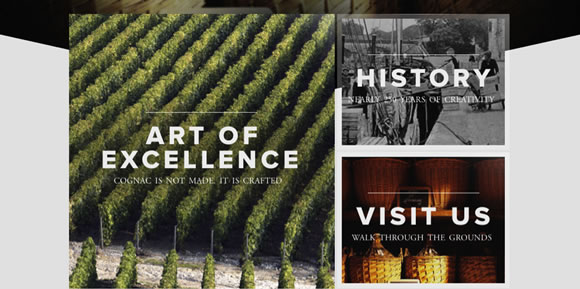
This essential could be achieved in lots of ways, only one of them being seen in Hennessy’s homepage design. A classical gridbased arrangement like this can be a good selection for an organization with a historical feel, but something edgier and more complex may be attempted with another form of site.
Detail
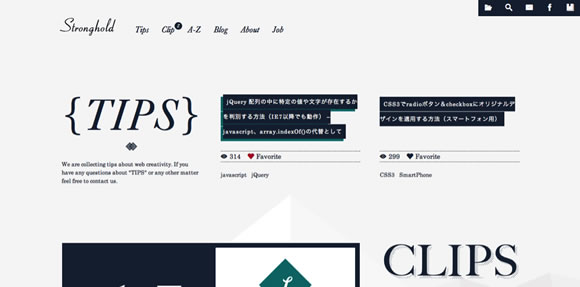
It’s the little things, just like the exquisitely intriguing rollovers to be found on Stronghold’s website, that make minimalist designs feel special. Thoughtful touches like this (that don’t interfere with functionality) are the hallmark of a top quality minimalist website.
Typography
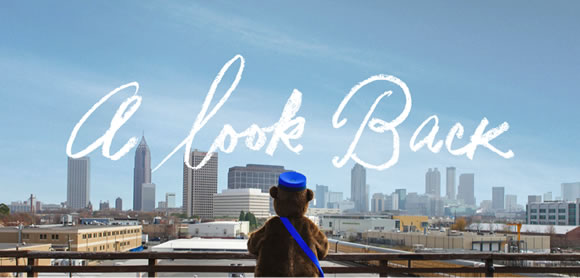
The textural, handwritten typography on MailChimp 2012’s homepage is all that was had to make this huge-scale photo come alive; it makes an announcement by contrasting the rough, flat texture of the text with the graceful, dimensional look of the picture.
Consistency
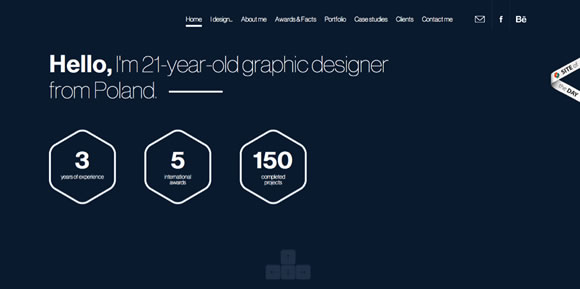
A necessity that ties into both the visual and the interactive experience could be seen in Adam Rudzki’s portfolio, where shapes, movements, and contours are carried during the site to make it feel like a continuing experience.
Although all of those components must be considered and incorporated right into a good minimalist design, the fundamental purpose of the manner may be boiled all the way down to only one statement: minimalism is supposed to raise communication by simplification. By as few tools and options and possible, good minimal designs should provide an interactively streamlined and visually appealing user experience. Many websites stand to vastly take advantage of this treatment, so it’s an amazing bet that minimalism might be here to remain.
Here’s any other articles that you’re going to definitely find useful.
Inspiring Examples of Color in Website design: Greens and Blues
 0
Creative and galvanizing Print Ads
 1
13 Beautiful Examples of Bold Colors in Web Design
 2
18 Minimalistic Home Offices to Inspire You
 3
15 Fresh Examples of fresh and Minimal Web Designs
 4
Posted in Web Design
Posted on October 1, 2013 at 1:24 pm
Last week we showcased 13 Beautiful Examples of Bold Colors in Website design and we received several emails asking us to position together a listing with specific colors. So today, in response to our requests, we prepare a set of sites using greens and blues as their main color.
Green is the colour of nature. It symbolizes growth, harmony, freshness, and fertility. Green has strong emotional correspondence with safety. While blue is the colour of the sky and sea. It is usually related to depth and stability. It symbolizes trust, loyalty, wisdom, confidence, intelligence, faith, truth, and heaven. All colors have meaning. So when choosing the colour palette on your next project, that’s something to think about.
UIkit

Lush Type

Alyssa B. Noel

Knock Knock Factory

Moving Things Design Company

play-dot-to.com

Daru Sim

Zero Zero

adaptable

Desktime

Aldeia Coworking
 0
Niche
 1
Activate Media
 2
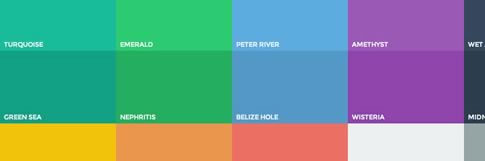
In case the need arises know more about colors and their meanings, some time back we published a pleasant infographic – The Pscicology of colours – inside the article Color: Links, Books & Tools to Make your Life Easier, test it out!
Here’s any other articles that you’ll definitely find useful.
Creative and encouraging Print Ads
 3
13 Beautiful Examples of Bold Colors in Web Design
 4
18 Minimalistic Home Offices to Inspire You
 5
15 Fresh Examples of fresh and Minimal Web Designs
 6
30 Stunning Website Designs Inspired by Nature and Landscapes
 7
Posted in Web Design
« Previous Page — Next Page »