Posted on September 13, 2013 at 12:28 pm
Even though the recent trend now in website design appears to be like big and ambitious images, the usage of illustrations is not really dead. Illustrations are certainly with a purpose to give a design personality. From illustrated icons and small details, at hand drawn backgrounds, you are able to choose your personal approach on tips on how to incorporate this on your designs. But as usual, if you want inspiration, we’ve got you covered. Here’s a number of sites that do a good job of utilizing illustrations.
About the Author

I love communication, technology, web, design, movies, gastronomy and creativity. Web writer, portuguese/english translator and co founding father of @refilmagem & @mentaway
Twitter: @gismullr
Here’s another articles that you’ll definitely find useful.
Posted in Web Design
Posted on September 11, 2013 at 3:11 pm
In Freebies
Posted by Henry Jones on Aug 29, 2013 | 4 Comments
In website design, we’re continuing to look a move toward simplicity. We’re seeing fewer websites which are over-designed, and more which can be all for letting the content shine. At the graphical element level, this trend has taken at the name of “Flat Design”. This implies less decorative elements like gradients, reliefs, and realistic forms are getting used , and more flat colors.
To aid you start creating your personal flat designs, we’ve rounded up some super useful flat UI kits. Enjoy!
Modern Touch UI Kit

Flat UI Kit

Freebie PSD: Flat UI Kit

Freebie PSD: Flat UI Kit 2

Flat Design UI Components

Freebie PSD: Flat / UI Kit

Featherweight UI – A free, vector based and retina ready UI kit (with bonus mini-tutorial!)

Responsive Ui Kit(PSD)

UI Kit (PSD)

Flat UI

 0
 1
Here’s another articles that you may definitely find useful.
8 Fresh High-Quality Free Fonts
 2
Free Icons on your Designs
 3
9 Fresh Free Fonts in your Designs
 4
13 Free Flat Icon Sets
 5
8 Must-have Fresh Free Fonts
 6
Posted in Web Design
Posted on September 9, 2013 at 8:57 am
Branding is something pretty challenging and it requires loads of talent to create something in order to represent a brand inside the very best way. Because of this, i suspect branding projects are so great. You could analyze how designers choose colors, dimensions, typography and textures, how they deliver an identity so that you can be the face of a corporation. Today we gathered just a few examples of clean branding projects from Behance to indicate here to maintain you inspired. You’ll want to click on the images to profit more about each idea and its designer. Enjoy.
About the Author

I love communication, technology, web, design, movies, gastronomy and creativity. Web writer, portuguese/english translator and co founding father of @refilmagem & @mentaway
Twitter: @gismullr
Here’s another articles that you’re going to definitely find useful.
Posted in Web Design
Posted on September 1, 2013 at 12:01 pm
There’s something incredibly sweet and almost romantic about using a handwritten font for design projects. Handwritten fonts add a further ounce of personality, and provides me a sense similar just like a homemade apple pie from my mother that will be looking ahead to me after I came home to after school.
There are quite a number decorative fonts and script fonts which are well-known for design projects like wedding invitations, greeting cards, paper projects, graphic design projects, and website design, but today i wished to showcase handmade fonts attributable to their ability to elicit emotions with people. You’re feeling an instant reference to a design that includes handmade elements, just because they’re something we, as humans, can relate to. We adore things that feel real to us, that we’ve experienced or seen in real life. With advances in technology and the arena constantly changing around us, sometimes it’s nice to be reminded of home besides the fact that its only within the variety of something “handwritten”.
For your inspiration and design use, listed below are some incredibly unique and flexible handwritten fonts by creative individuals from world wide.
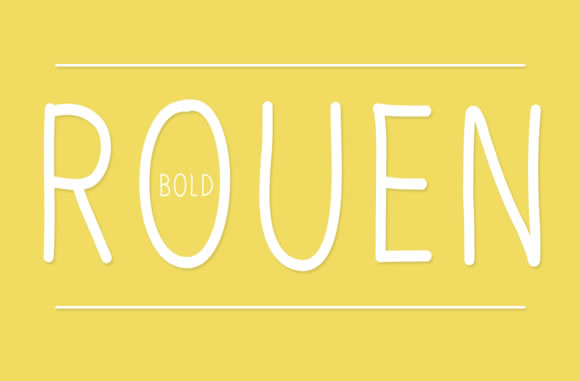
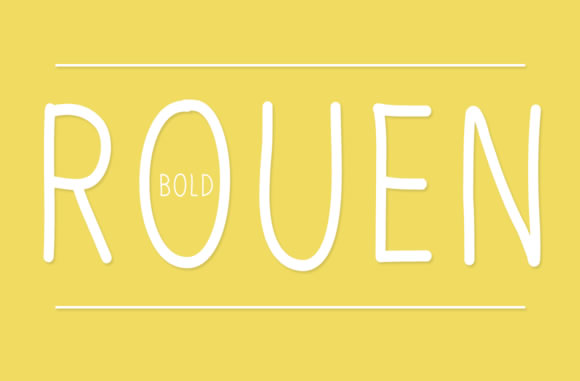
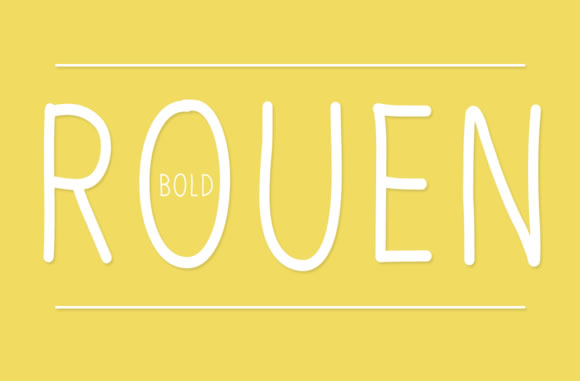
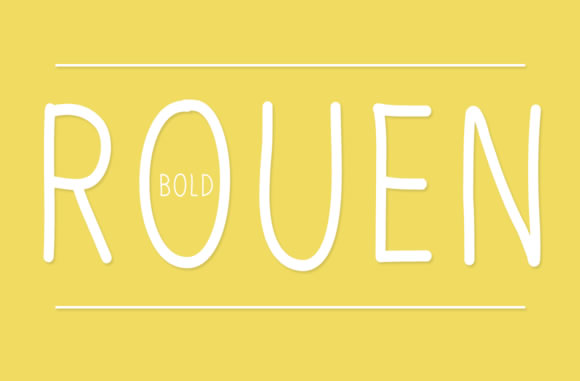
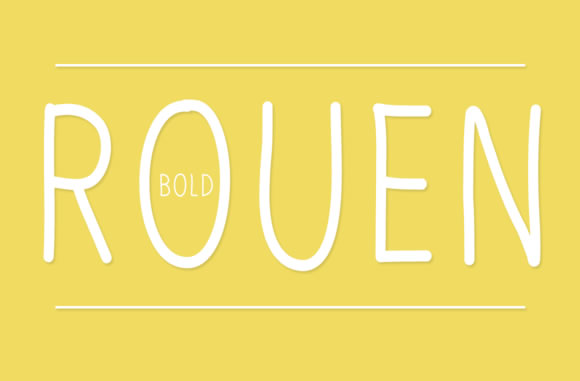
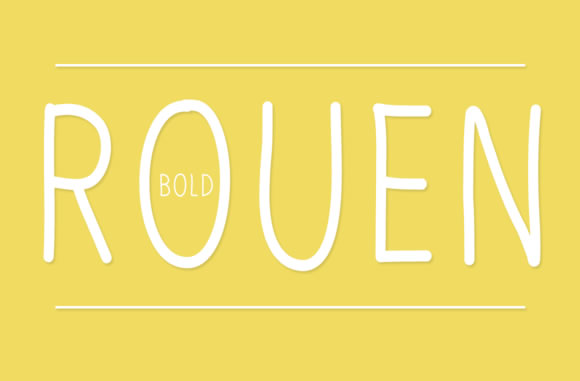
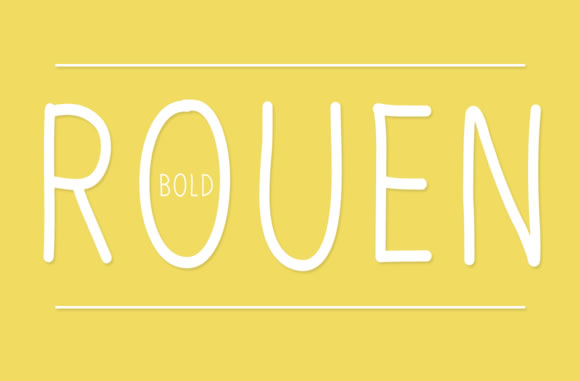
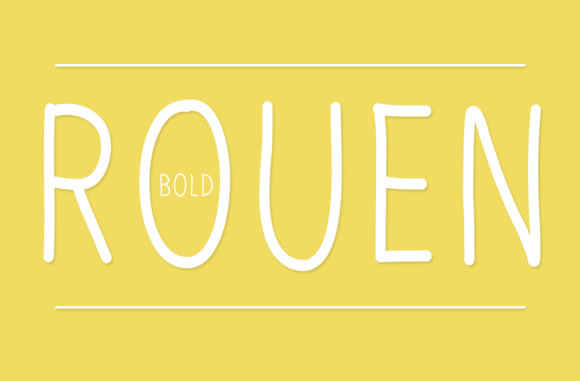
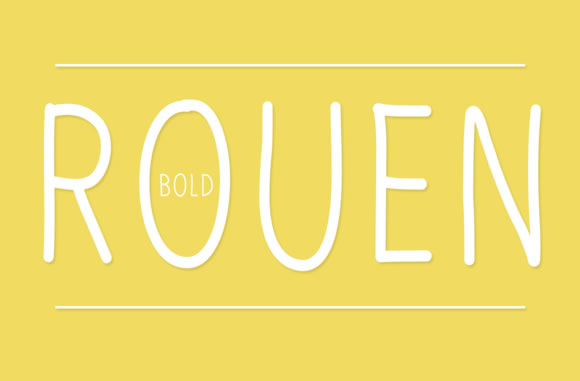
Rouen Bold by Britt Douglas
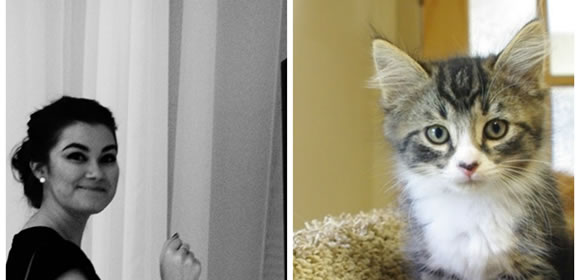
Britt is a curator of gorgeous things, a skilled web designer, and creator of unique handwritten fonts. She is continually engaged on quite a few creative projects, and has a very cute cat named Winnie.
Rouen Bold is one in every of Britt’s latest handwritten fonts available to be used by designers and inventive people everywhere. It’s a real type font compatible with both mac and windows, includes upper and lower case letters, symbols, and numbers.
Densen by Matt Hull of Thrift and Thistle
Thrift and Thistle is definitely one of the best places for designers to search out resources like creative fonts and high resolution vector files. Matt Hull, the creator and mastermind behind Thrift and Thistle is a skilled graphic designer and illustrator based within the UK who has a zeal for handcrafted and vintage design resources.
Densen, a beautifully crafted handmade font is optimal to be used in both print and web projects, or even comes with an internet font kit. This font has a skinny ink style to it, and might be used day after day or simply for those extra-special projects.

Nanu by Jagjagvi
Jagjagvi is a Swedish design studio that mainly specializes in handdrawn typefaces and illustrations. Founded in 2008, Jagjagvi transitioned from targeting a large number of design types to typefaces, leading to creative handwritten fonts for designers and creatives to make use of.
Nanu is a handwritten font where the higher case and lower case letters are the identical height, giving the looks of being in “all caps.” The font comes with a number of extras and contours like ornaments, and is even multilingual.

Lango by Kemie Guaida of Pixilate
Kemie Guaida is talented designer and illustrator who also focuses on front-end coding. Letters are her passion, and she or he designs typefaces whenever she will. She created Pixilate as considered one of her first projects where she offers icon sets and fonts she made for fun.
Lango, is a handwritten typeface created by Kemie that was recently updated (August 2013) to add better kerning and descriptions. This script font is long and lean, and springs in four weights: light, regular, bold, and black.

Clumsy by Gaslight
Gaslight is a kind foundry founded in 2011 and based in Russia. The foundry is a collaboration between three designers: Valery Zaveryaev, Roman Shchyukin and Maria Luarvik.
Clumsy is a fun and awkward handwritten font that’s perfect to apply for small amounts of text. The font is encouraged from an old soviet books features an all-caps style. It’s the ideal font to feature a bit funky awkwardness for your projects.

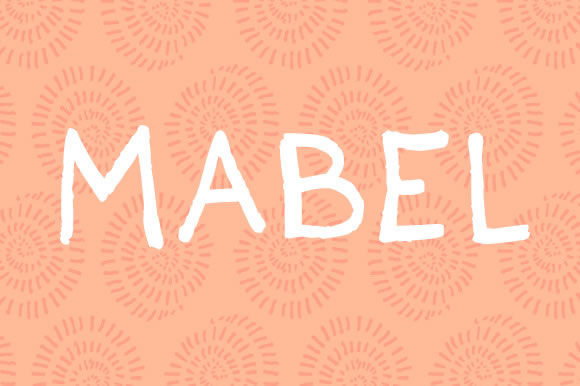
Mabel by Morgana Lamson
Morgana Lamson is an extremely talented designer and illustrator, and she’s also half the design team Satchel & Sage along with her husband Gerren Lamson. Although based in Austin,TX you’ll frequently find Morgana and her husband traveling the rustic and showcasing her awesome creations at places just like the Renegade Craft Fair.
Mabel is a sweet and merry handwritten typeface created by Morgana for both web and print use. It’s a bold typeface that’s perfect for everything from wedding invitations to website design.
Lilly by Wander x Wonder
Christine Herrin is a designer born in California and raised within the Philippines, who’s obsessed with everything handmade and travel. She currently plays around with Illustrator and creates plenty of resources designers can use to complement their products.
Lilly Marker is a fun and sweet handwritten font that also is incredibly romantic. This typeface has loads of personality and is unquestionably girly!

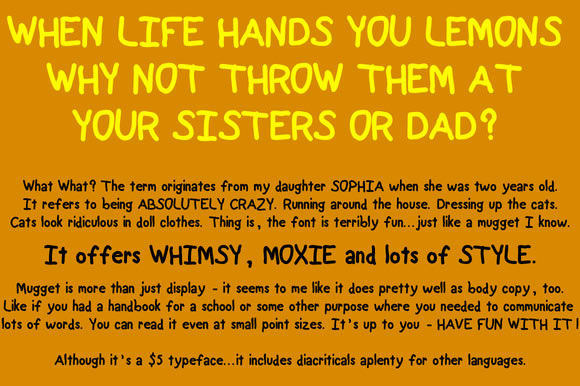
Mugget by Baseline Fonts
Baseline Fonts, founded by Nathan Williams is a sort foundry with a focal point on creating types in line with disappearing methods of print and kind reministic of these present in historical prints.
Mugget is a fun and eccentric handwritten font that may be a little bit crazy. This font works well both in bold copy and as a display typeface.
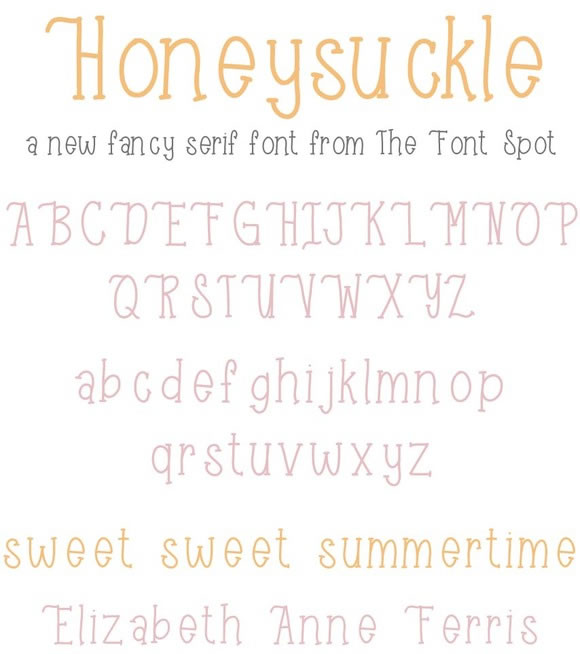
Honeysuckle by Immediate Studio
Tiffany Willet, a graphic and logo designer from Kentucky is the creative mind behind Prompt Studio. An exceptionally talented designer that’s known for her intricate custom logo and branding designs, she also creates sweet and unique handwritten typefaces.
Honeysuckle is a fun and fancy hand-lettered font that could be a welcome boost to a mess of print projects.
Into the Vortex by Skyhaven Fonts
Skyhaven Fonts are a fun and quirky selection of typefaces by 17 year old Alex Tomlinson. Alex dabbles in creating unique typefaces in addition to photography.
Into the Vortex is a skinny all-caps typeface that definitely has a darkside. It’s perfect for everything from a horror movie poster to a greeting card.
 0
Sprout Serif by Lesley Yarbrough
Lesley is a skilled community builder based in Denver, CO with a love for beer, bikes, books, design, and travel. During her spare time she dabbles in font creation it is fun and emulates her personal style.
Sprout Serif is a sweet little handwritten font, with a ‘sprouty personality.’ It’s considered one of my favorite fonts obtainable and that i can’t stop using it.
 1
Canoe by Angie Makes
Angie Baldelomar is the talented designer and illustrator behind Angie Makes & Co., a design studio makes a speciality of graphic and website design. Angie specialized in creating WordPress themes, fonts, and graphics with a girly touch.
Canoe is an all-caps font that may be used for display and web projects in addition to print. It’s a fun and sweet font read that will help you make a bold statement.
 2
Here’s every other articles that you’ll definitely find useful.
8 jQuery Plugins for boosting Typography
 3
Inspiration: Type, Colors & Textures from Signs
 4
21 Examples of Inspiring Typography in Web Design
 5
Inspiring Typography in Print Ads
 6
21 Inspiring Examples of Typography in Web Design
 7
Posted in Web Design
Posted on August 30, 2013 at 7:20 am
We can say that lately images are taking center stage in website design. And because of that, we’ve been seeing some really beautiful websites where sleek images are the focus and the “attention grabber”. From minimalist concepts to full background images, there are several different approaches to image usage in website design. So today we’ll show you some inspiring examples. The internet sites we gathered here will demonstrate that an attractive and tremendous image can go a ways in conveying a message, adding a whole bunch personality, and delivering that eye candy which users love.
About the Author

I love communication, technology, web, design, movies, gastronomy and creativity. Web writer, portuguese/english translator and co founding father of @refilmagem & @mentaway
Twitter: @gismullr
Here’s another articles that you’re going to definitely find useful.
Posted in Web Design
Posted on August 28, 2013 at 1:46 pm
Let’s be honest, the WordPress dashboard is neither attractive to examine nor particularly conducive to efficient workflows. The design is harking back to web apps from the early years of the century and would get advantages from some serious sprucing up.
Because of WordPress’s power and versatility, that loss of visual and UX pizazz hasn’t held the web’s favorite content management system back: it’s still riding high and growth is gigantic. But, if it’s to maintain pace with the young whippersnappers of the CMS world like Statamic and the forthcoming Ghost, the feel and appear of the admin dashboard goes to wish citing thus far.
The trend is unquestionably towards simplicity and WordPress has gathered an excellent few barnacles in its 10-year transition from blogging platform to full-featured content management system.
Thankfully, it seems that Matt Mullenweg is tough at work on creating a WordPress admin dashboard fit for the 21st-century. Before we go into details, a warning. In the event you install the plugin we’re about to discuss in your production site, tears are guaranteed. It could probably break your admin dashboard and isn’t ready for high time. Whenever you do check it out in your production site and it breaks things, don’t say we didn’t alert you.
MP6 is a (not-so-secret) secret plugin being developed by Matt Mullenweg, the unique creator of WordPress and head-honcho at Automattic, the corporate that runs WordPress.com. MP6 significantly changes the classy of the admin dashboard and brings it into line with current design trends. The purpose of the plugin is to develop a simplified, flattened version of the admin panel outside of the primary development environment to permit for faster iteration. Ignore the hideous banner at the plugin page; it’s just like the anti-MP6 in looks and is maybe meant to deter people from installing the plugin.
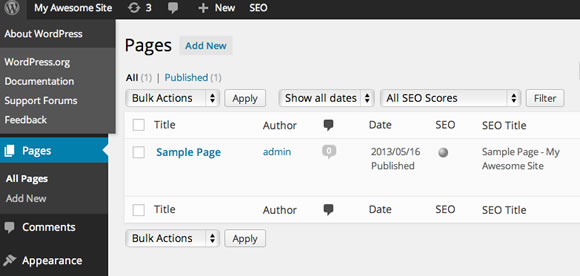 New Look Admin Dashboard
The scuttlebutt across the WordPress community is that aspects of MP6’s design will find their way into forthcoming WordPress major releases, although it’s likely that we’ll must wait until 3.7 or later until it makes its full debut. Nevertheless, that proven fact that Mullenweg is at the case is welcome evidence that the WordPress team are concerned with improving the advent and functionality of the dashboard.
What do you suspect? Are you content with the present looks of the WordPress dashboard or do you welcome the prospective upgrade? Make your opinions known inside the comments below.
Here’s another articles that you’re going to definitely find useful.
17+ Resources for Churches Using WordPress
10 Professional Minimal WordPress Themes
10 Excellent WordPress Themes for Portfolios and Galleries
10 Professional WordPress Themes for Business Websites
10 Free Clean and Minimal WordPress Themes
Posted in Web Design
Posted on August 24, 2013 at 4:59 pm
Illustrator is a crucial tool for designers and artistic professionals. And irrespective of how familiar you’re with it, there are always some shortcuts you possibly can discover ways to be more productive. For this reason you are going to love today’s exclusive Adobe Illustrator CS6 cheat sheet that the great people at ZeroLag have prepare for WDL.
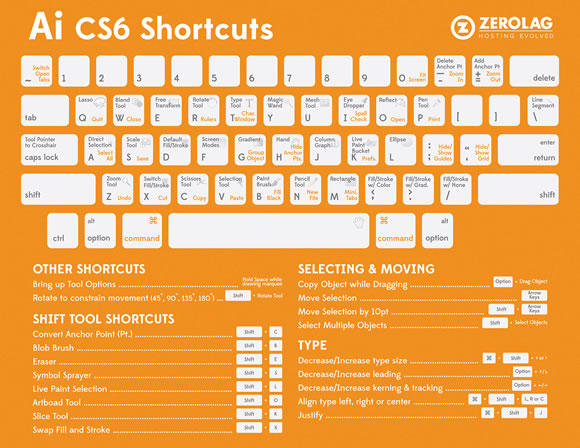
How to Read the Adobe Illustrator CS6 Keyboard Shortcuts Key:
Adobe Illustrator Tool Shortcut = grey text
Action Shortcut = orange text
- Look for the Adobe Illustrator Tool Shortcut (grey text) or Action Shortcut (orange text) that you really want to accomplish at the keyboard.
- If you need to use a Adobe Illustrator Tool Shortcut (gray text), press at the corresponding key. (Example: To access the “Pen” Tool, press the letter “P” key.)
- If you might want to use an Action Shortcut (orange text), hold down the Command key, then press at the Action Shortcut key you wish indicated in orange text. (Example: To access the “Select All” Objects Action Shortcut, hold down the Command key and press the letter “A” key.)
How to accomplish Other Shortcuts Not at the Keyboard:
Follow the indicated keys/actions next to the precise shortcut you should perform. (Example: To access the “Eraser” Tool hold down the Shift button while pressing the “E” key to access the tool.)
ZeroLag Photoshop CS6 Cheat Sheet
Here’s every other articles that you’ll definitely find useful.
30+ Fresh Icon Illustrator Tutorials

30 Beautiful Examples of Illustrated Twitter Backgrounds

11 Well Written Character Illustration Tutorials
33 Creative and exquisite Logos
30 Clever and funky T-Shirt Designs You are going to Love
Posted in Web Design
Posted on August 22, 2013 at 7:41 am
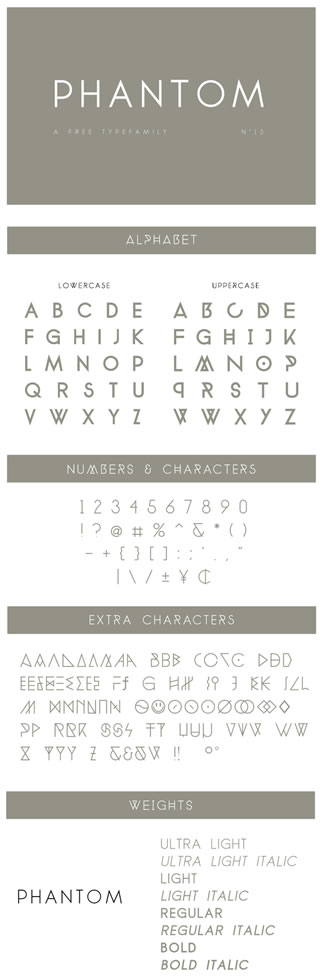
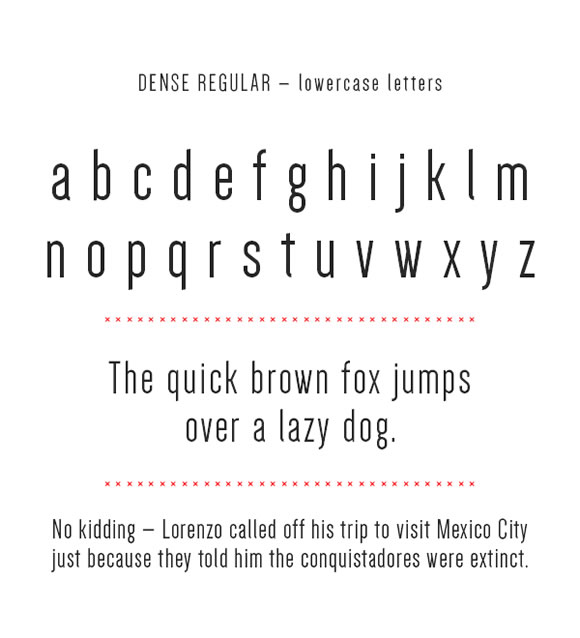
We’re always attempting to find new high-quality freebies. Whether it’s PSD’s, patterns, or icons, we love finding free stuff and sharing it with you. We do the searching so you don’t have to. This saves you time and helps you focus on what’s important. So for this post, we’ve rounded up 8 new quality fonts that allows you to use for your designs.
Dense Regular


PHANTOM
Poetsen

BARON


geogram typeface

Track free font


Look Up

 0
Kelson Sans
 1
Here’s another articles that you’re going to definitely find useful.
Free Icons in your Designs
 2
9 Fresh Free Fonts in your Designs
 3
13 Free Flat Icon Sets
 4
8 Must-have Fresh Free Fonts
 5
10 New Free Fonts on your Designs
 6
Posted in Web Design
Posted on August 20, 2013 at 12:44 pm
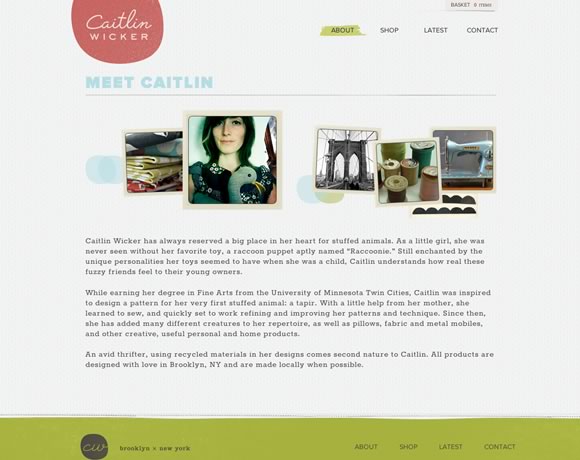
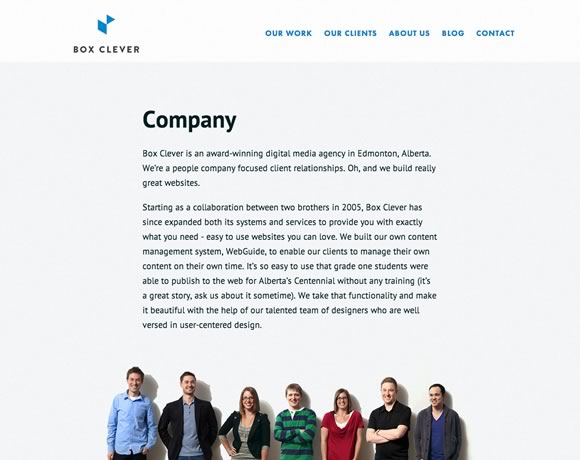
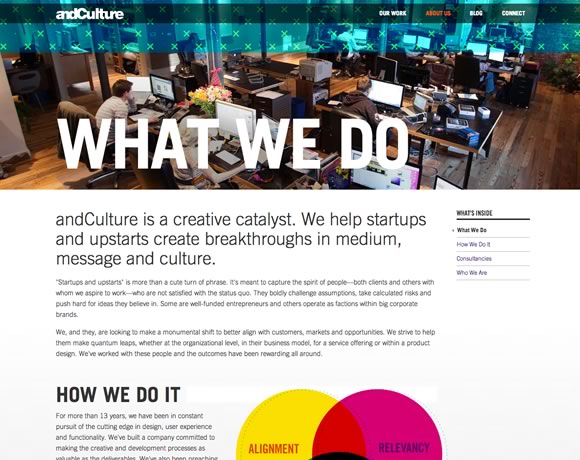
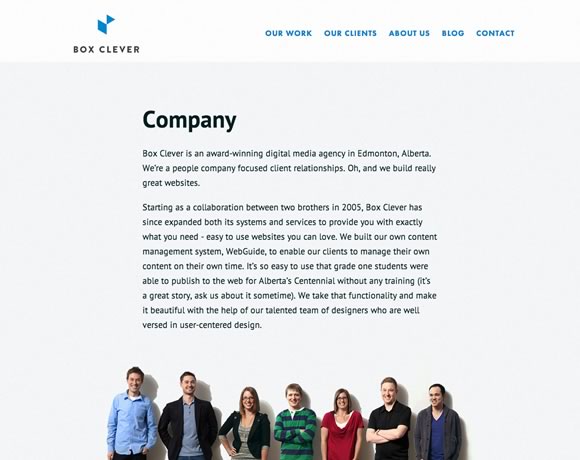
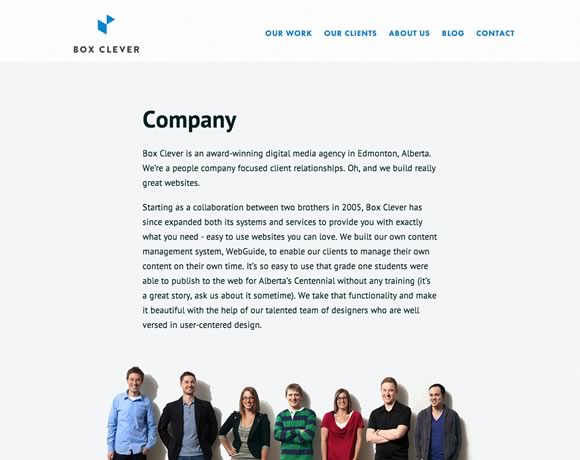
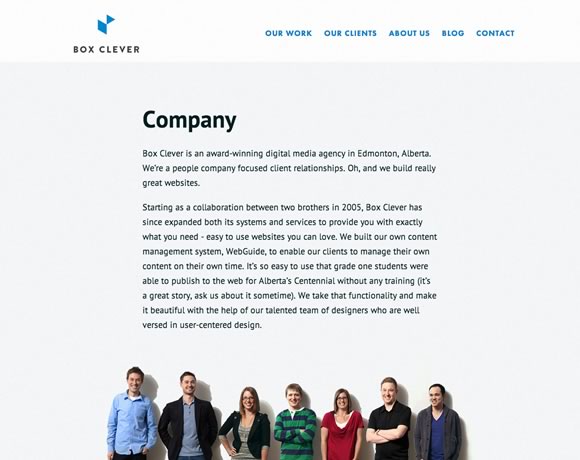
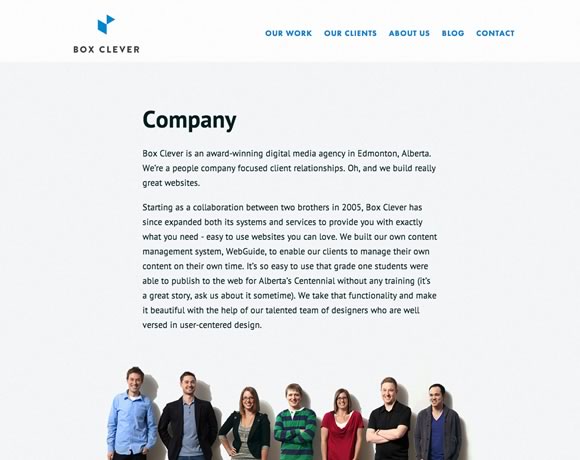
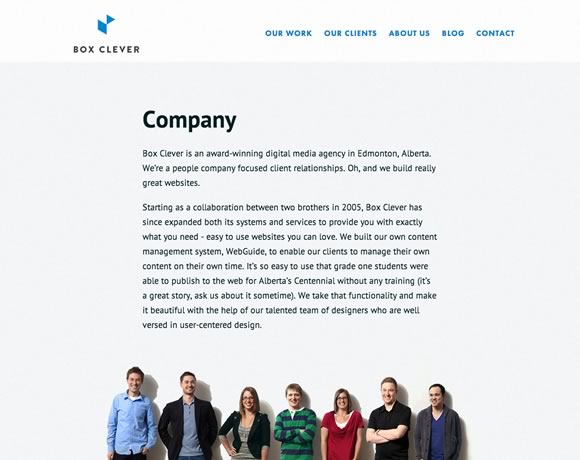
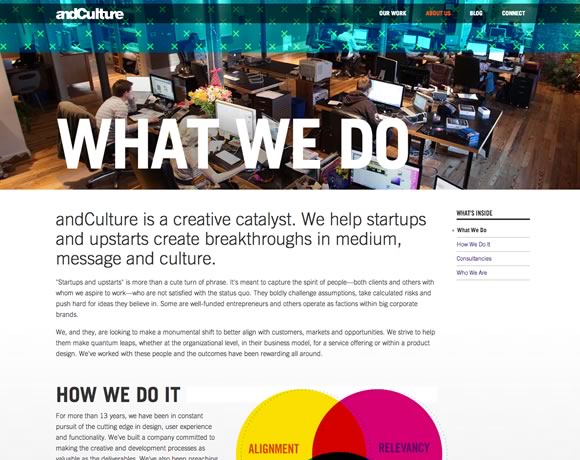
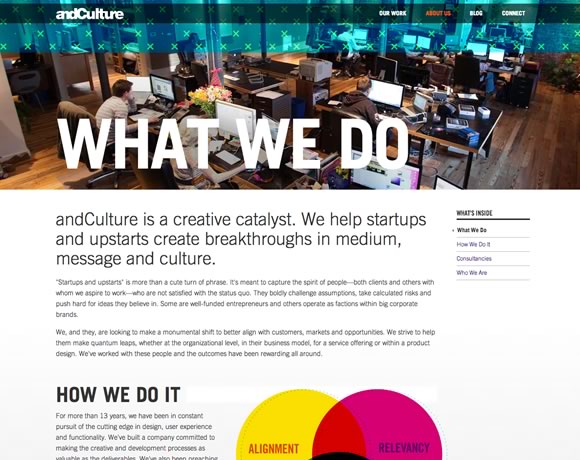
Who are you? What do you do and why you do it? Have you stopped to wonder that these can be questions your users are asking? It doesn’t matter if you’re a contract designer, an inventive agency, a band, or a web-based store, showing details about you is a great method to get your users attention. From pure text, to images and videos, we shall show you many different approaches to the about page here. Hope you get inspired by them to construct your personal. Have already got an inspiring about page? Send us the link within the comments.
Caitlin Wicker
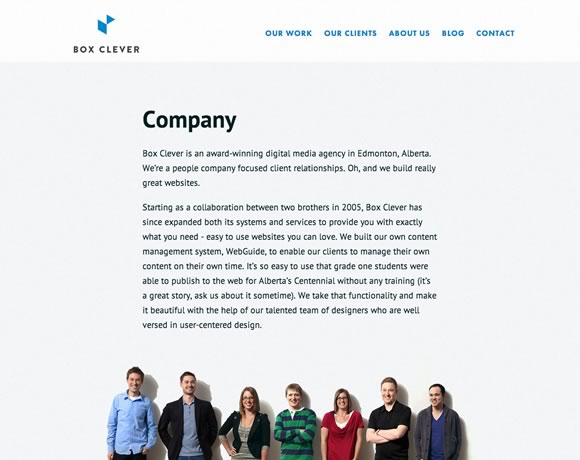
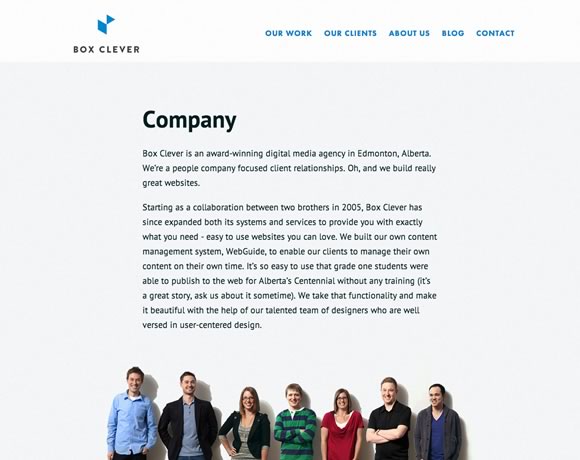
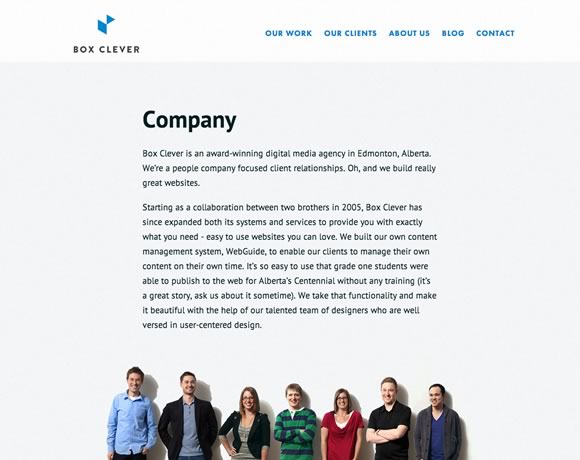
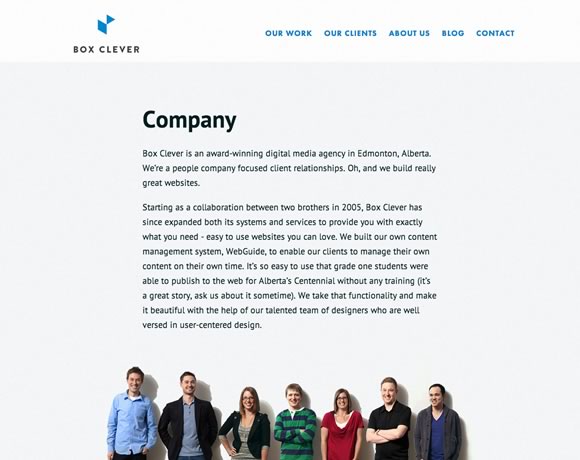
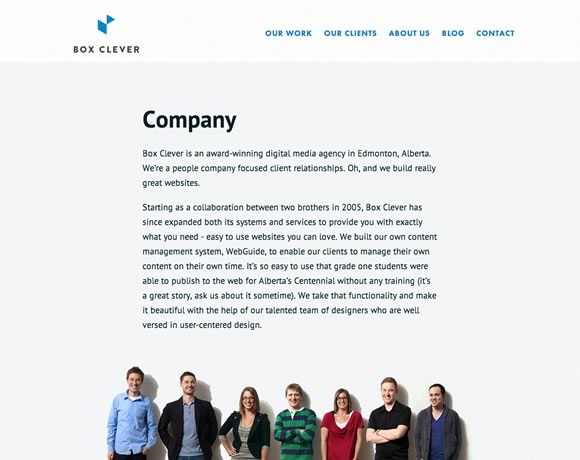
Box Clever
andCulture
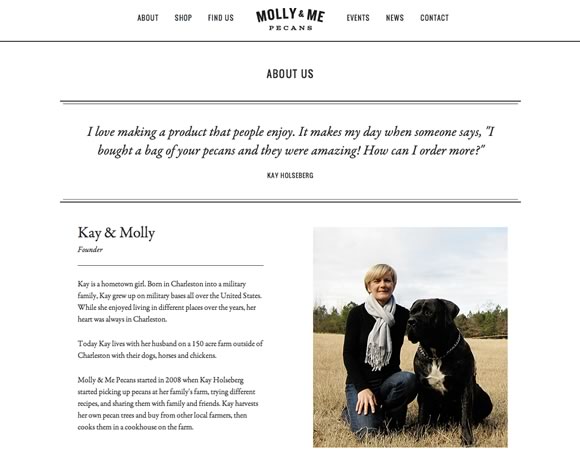
Molly & Me Pecans
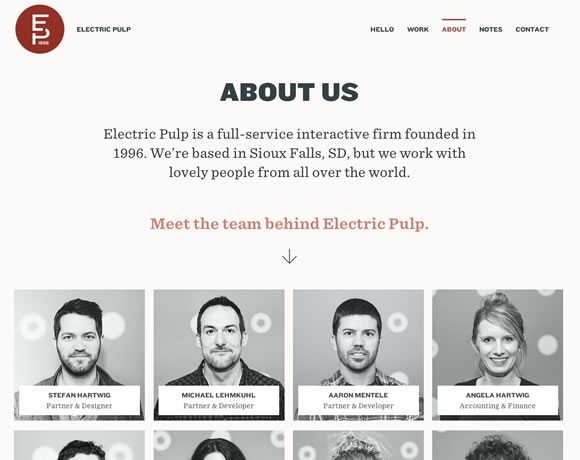
Electric Pulp
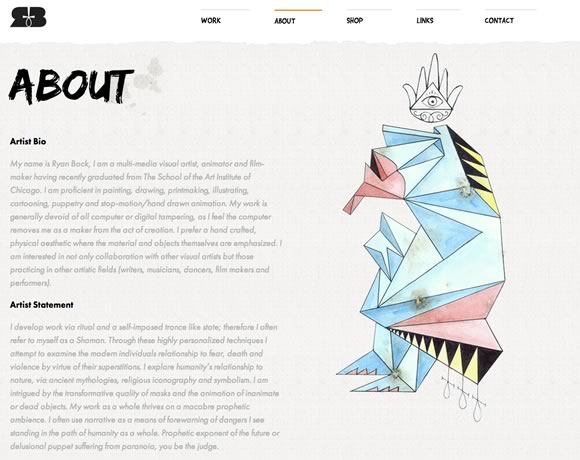
Ryan Bock
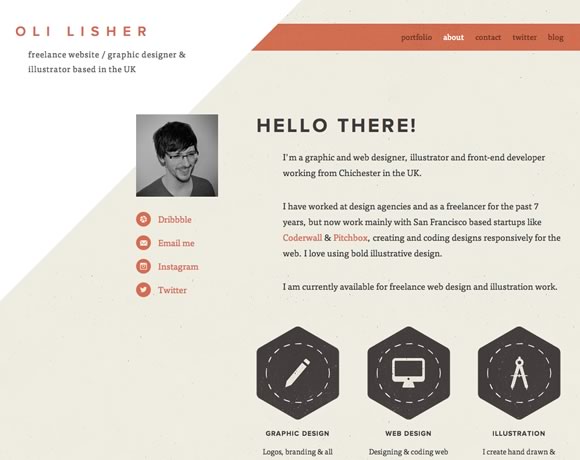
Oli Lisher
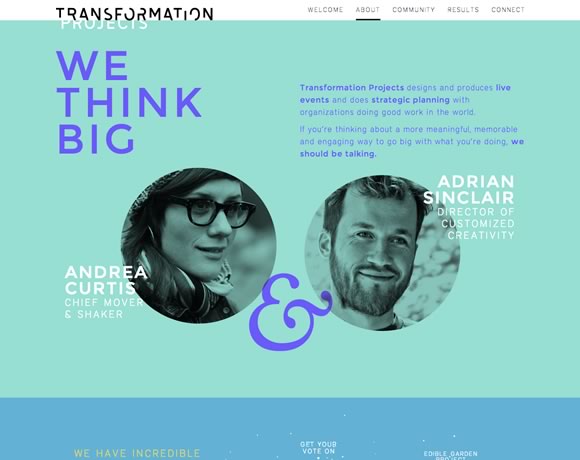
Transformation Projects
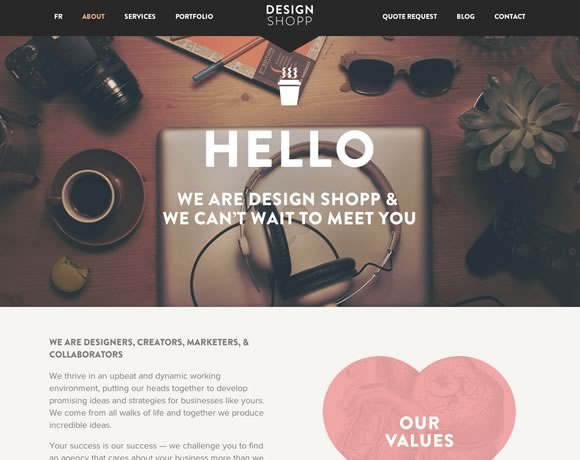
Design Shopp
Jayson Brown
 0
Will Paige
 1
Greats Band
 2
Burciaga & Co.
 3
Made by Joyce
 4
S.McCade
 5
Whiteboard
 6
Little
 7
About the Author
 8
I love communication, technology, web, design, movies, gastronomy and creativity. Web writer, portuguese/english translator and co founding father of @refilmagem & @mentaway
Twitter: @gismullr
Here’s another articles that you’ll definitely find useful.
24 Elegant and Colorful Logos
 9
16 Inspiring Examples of Retro and Vintage Elements in Web Design
 0
17 Inspiring Examples of Contact Pages and Forms
 1
17 Examples of lovely Typography in Web Design
 2
19 Examples of Minimalistic Web Designs
 3
Posted in Web Design
Posted on August 18, 2013 at 8:27 am
Navigation is arguably an important a part of website. Without it, visitors doesn’t have the ability to move from page to page and consider the content. Keen on the appropriate technique to your website navigation is a vital a part of the creative process. So, as designers and developers, it’s good to understand that we have got tools like jQuery which can make our life easier. For today’s post we are able to show you some handy jQuery plugins that will help you inside the task of delivering a pleasant and smooth navigation experience on your users.
MeanMenu
A free jQuery Responsive Menu plugin as a way to Hide or show menu children, Target navigation element to swap out with MeanMenu, Control screen width at which MeanMenu activates and masses more.

Sidr
The best jQuery plugin for creating side menus and one of the best ways for doing all your menu responsive.

Toolbar.Js
Toolbar means that you can quickly create tooltip style toolbars to be used in web applications and internet sites. The toolbar is well customizable using the twitter bootstrap icons and offers flexibility round the toolbars display and variety of icons.

jPanelMenu
jPanelMenu is a jQuery plugin that creates a paneled-style menu (just like the type seen within the mobile versions of Facebook and Google, in addition to in lots of native iPhone applications). Just click the menu button (the pinnacle left of this page) to peer it in action.

Intro.js
Better introductions for websites and contours with a step-by-step guide in your projects.

jPaginator
jPaginator is a jQuery plugin for pagination. It’s fun, intuitive, it comes with a slider and you’ll ask for an infinite collection of pages. Use it with a distinct element, for more details please take a look at the code of demo1 and the plugin’s options.

Smart Menus
Website menus that work on all devices.

slimMenu
slimMenu is a light jQuery plugin, that’s made to create responsive and multi-level navigation menus at the fly.
With slimMenu, you’ll now not struggle with media queries to create responsive menus, or some other heavy plugins to create multi-level nested menus. slimMenu does both job for you and it’s only 5KB(2.5KB minified)!

Navgoco
Navgoco is an easy JQuery plugin which turns a nested unordered list of links right into a beautiful vertical multi-level slide navigation, with ability to maintain expanded submenus between sessions through the use of cookies and optionally act as an accordion menu.

Here’s every other articles that you’re going to definitely find useful.
Color: Links, Books & Tools to Make your Life Easier

10 Free UI Wireframe Kits
 0
6 jQuery Plugins for Scrolling Effects
 1
8 jQuery Plugins for Spicing Up Your Forms
 2
Open Source Tools and Scripts for WordPress Developers
 3
Posted in Web Design
« Previous Page — Next Page »